

A fast next-generation web browser
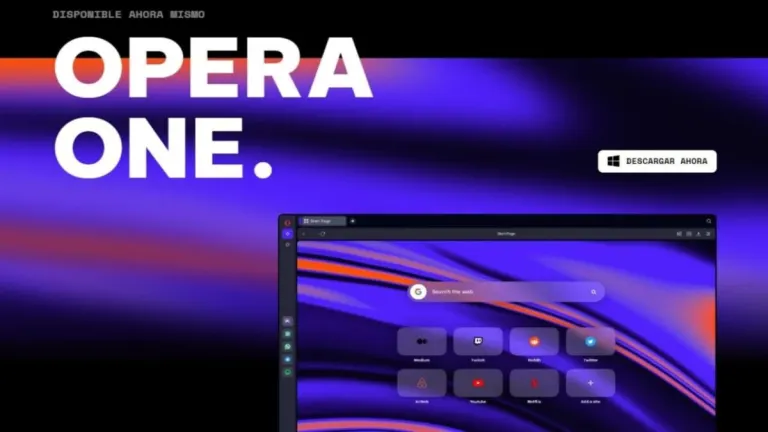
Opera Browser is a potent combination of speed, security, and customizability, making it a strong contender in the continually evolving browser market. With a sleek interface and an array of innovative features, Opera continually strives to redefine the browsing experience.
At first glance, Opera Browser impresses with its modern and clean aesthetic. The sidebar is a welcome feature, providing quick and easy access to bookmarks, history, extensions, and even a built-in VPN and ad-blocker. These inclusions are excellent productivity boosters, keeping what you need at your fingertips and eliminating unnecessary distractions.
Fast, intuitive, and integrated with multiple social networking tools
Unlike Google Chrome, Avast Secure Browser, or Mozilla Firefox, Opera Browser has been around since the mid-90s. Since its launch, this web browser has been an underdog with stable response from the public. Though there have been some huge changes in the browser industry, Opera has always enjoyed a good fan following. As compared to other web browsers, it offers a wide range of benefits.
With solid customization options, Opera is considered a feature-packed web browser. You can take advantage of Google’s huge extension library, including some of the most popular VPN extensions. While some changes in architecture and ownership have led to privacy concerns, Opera comes with a built-in VPN to ensure data security. The current version is faster and provides you with a clean interface, especially compared to options like Microsoft Edge.
While retaining the simple and clean interface, this classic browser comes with a wide range of features. With built-in support for messaging platforms like WhatsApp, Messenger, and Telegram, the web browser makes it easier to connect with friends and family. Moreover, it helps you avoid having to download a number of third-party extensions and clunky web interfaces to use these services.
Setting up Opera browser for PC
It’s pretty straightforward to set up the browser. When you install Opera Browser for the first time, it automatically imports saved passwords, browser history, and bookmarks. In using “My Flow” you can also sync encrypted content and links, including images, videos, personal notes, and articles, among devices. Right next to the address bar, a button lets you sync YouTube videos and web pages.
As mentioned earlier, the browser comes with several extensions. It’s possible to add almost any third-party functionality. While most people prefer using extensions for ad blockers, which saves a good amount of time throughout the browsing experience, Opera comes with a built-in ad blocker so you don’t have to worry about finding the right one. From the settings, you can switch on this feature with just a few simple clicks.
Built-in VPN for additional security
Though Opera isn’t the most secure web browser, a built-in VPN is an excellent addition. Unfortunately, its limited use means you can’t choose a specific region or country. Instead, it only allows you to choose from the Americas, Asia, and Europe. Moreover, since it lacks encryption beyond HTTPS and a tunneling protocol, you can’t circumvent the regional restrictions for certain services.
Having said that, Opera still offers some good features and tweaks. For instance, when you select text that contains measurement units, time zones, or currency, the browser automatically converts them and displays the conversion right above your selection. Tab previews, integrated messaging apps, and the ability to detach videos from the main screen set Opera apart from the competition. Moreover, the clean and simple interface ensures a smooth browsing experience.
AI technology revolutionizes Opera Browser experience
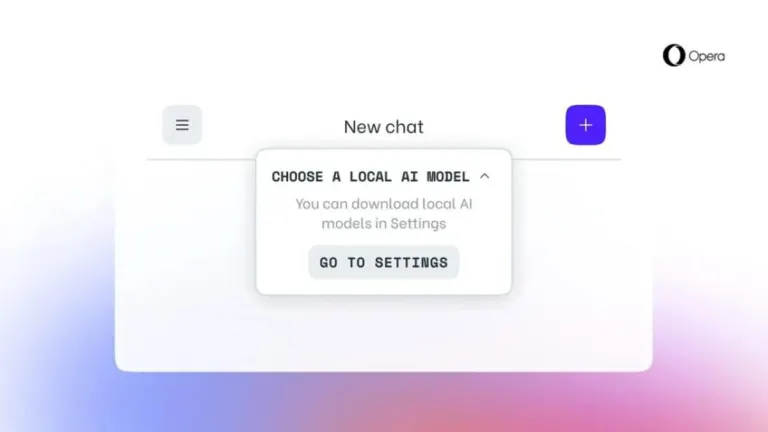
Opera Browser now incorporates AI-powered chatbots, ChatGPT and ChatSonic, into its desktop browsers, Opera and Opera GX. This innovation follows Microsoft's GPT-4 chatbot integration into its Edge browser. These cutting-edge tools provide users with a modern, interactive browsing experience. The new update also introduces AI prompts, allowing users to generate these prompts by either highlighting text on a website or typing it in.
These AI prompts can efficiently summarize articles, compose engaging social media posts, or even assist in idea generation. To enable this feature, users can simply activate "AI prompts" in the settings menu. Alongside the text-based capabilities of ChatGPT, Opera's ChatSonic bot, which utilizes GPT-4, enables users to generate images from text inputs. This groundbreaking feature significantly enhances the browsing experience by providing a visually engaging and immersive way to interact with web content.
Opera's product director, Joanna Czajka, emphasizes that AI-generated content is transforming web browsing. The company is steadfast in its commitment to expanding its AI program across browser, news, and gaming products by developing innovative solutions and collaborating with new and existing partners. Opera has also plans to introduce more AI-powered features in the future, relying on their proprietary GPT model.
As generative AI technology gains more and more traction, more browsers are expected to integrate AI-powered tools into their platforms. Brave, for instance, has already launched summarization features in its search engine and is currently exploring other AI-focused features for its browser. This trend signifies a paradigm shift in the way users interact with and experience the internet through browsers.
A simple, fast, and feature-loaded browser
If you’re looking for a web browser that can be used on multiple devices, Opera Browser will be an excellent choice. It is an exceptional browser that offers speed, security, and an array of innovative features. Its few shortcomings do not significantly detract from its overall functionality and performance. It promises and delivers a browsing experience that is as entertaining as it is efficient.






















User reviews about Opera Browser
by susas12
I really like this browser. It has everything and is easy to use.
by Abdalla Mohamed
Very good browser, i like it too much because i found every thing i need it
by Sunday O. Oladokun
I enjoy its layout and the ease with which I browse with it.
by John Bishonga
Is the best And work s very good And faster i like it so much
by M.A Sattar
THANK YOU
IT SUCH A NICH WEBSITE FOR DOWLOADING SOME SOFWERE
by asli cali
What do you think about Opera Browser Do you recommend it? Why?://opera.en.softonic.com/