The Next Generation Browser
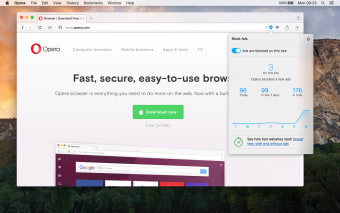
The Opera browser is arguably one of the popular web browsers available today. This Chromium-based software is developed to deliver a product that does far more than your average web navigation. In addition to providing you access to various websites, this app comes with features that let you send instant messages, read the news, and sync all your data to various devices. When you are looking for a fast, secure, and customizable browser, this is your best bet.
Chat While You Browse
While Opera cannot be considered a staple among browser apps such as Google Chrome and Mozilla Firefox, the app does not lag behind when it comes to features. For one, the app has put an end to the endless switching from the browser to your messaging app when you are browsing while chatting with friends. Yes, you read it right. Opera has Facebook Messenger, Telegram, and WhatsApp nested in its sidebar so you can enjoy ongoing conversations while browsing the internet.
Opera also lets you keep your messages at hand by pinning them with the pin icon. When new messages arrive, the notification will appear directly in the browser so you can answer them at once. You can also mute or log out from the messaging apps using the three-dotted menu button at the top of your screen.
Protected Browsing
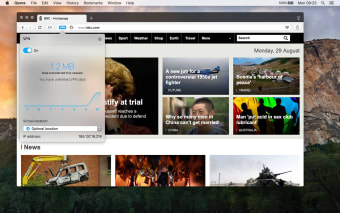
To date, Opera is the first and still the only mainstream browser that integrates a free and unlimited VPN. This allows you to focus on the content without fear of losing privacy. Its built-in VPN does not require a subscription, payment, and additional extensions. To activate the VPN, you only need to go to the security option under the Menu and choose the VPN. Simply click on the trigger to turn on the VPN service. Opera also lets you select a virtual location and even see stats on the data used. The VPN service works with both normal and private browsing windows.
By turning the VPN, Opera will change your IP address with a virtual one making it hard for websites to track your location and the identity of your computer. This will also block many tracking cookies. Furthermore, the VPN service gives you added protection, especially if you are using a free Wi-Fi connection. This shields you from unwanted sniffers that share the same network.
Unorthodox Layout
According to some, when you compare the layout of the classic browsers to the Opera browser, the former is more perplexing, especially for traditional users. However, you can familiarize with it in a matter of minutes.
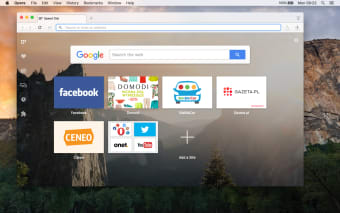
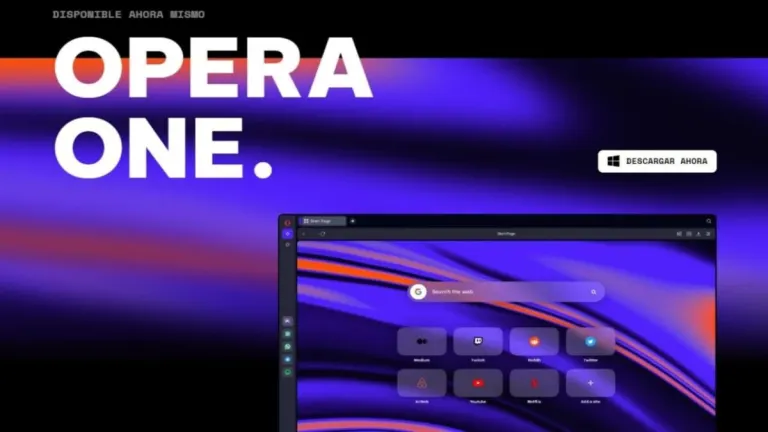
The start page is quite different from the other browsers. Instead of the classic search engine or your favorite web page, Opera displays a Windows Metro-style menu wherein users can save links of their favorite websites. There is also a sidebar where built-in programs such as the messaging apps are pinned.
Finally, for people who want to personalize their browsers, Opera offers various themes that you can download and use. However, to support all these features, the app requires hardware with medium to high performance. It can still run on older devices, but you may experience lagging and slower browsing speed.
AI Technology Revolutionizes Opera Browser Experience
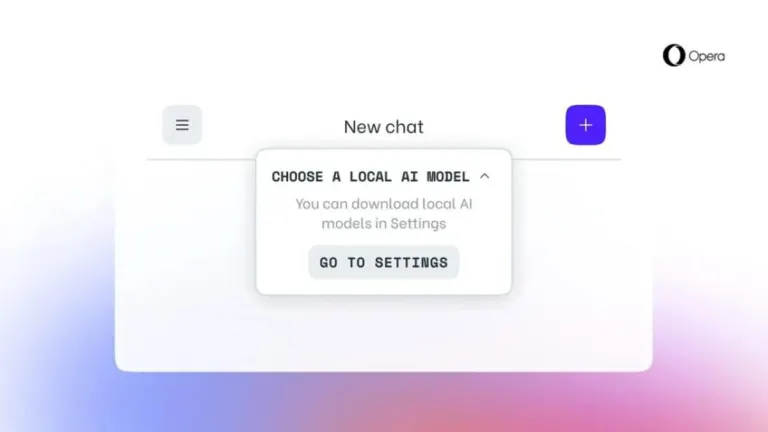
Opera's latest update now incorporates AI-powered chatbots, ChatGPT and ChatSonic, into its desktop browsers, Opera and Opera GX. This innovation follows Microsoft's GPT-4 chatbot integration into its Edge browser. Available for early access on all desktop platforms, these cutting-edge tools provide users with a modern, interactive browsing experience.
AI Prompts Elevate User Interaction in Opera Browser
The new update also introduces AI prompts, allowing users to generate these prompts by either highlighting text on a website or typing it in. These AI prompts can efficiently summarize articles, compose engaging social media posts, or even assist in idea generation. To enable this feature, users can simply activate "AI prompts" in the settings menu.
ChatSonic Brings Text-to-Image Generation to Opera Browser
Alongside the text-based capabilities of ChatGPT, Opera's ChatSonic bot, which utilizes GPT-4, enables users to generate images from text inputs. This groundbreaking feature significantly enhances the browsing experience by providing a visually engaging and immersive way to interact with web content.
Opera's Dedication to AI Integration Across Platforms
Opera's product director, Joanna Czajka, emphasizes that AI-generated content is transforming web browsing. The company is steadfast in its commitment to expanding its AI program across browser, news, and gaming products by developing innovative solutions and collaborating with new and existing partners. Opera plans to introduce more AI-powered features in the future, relying on their proprietary GPT model.
The Growing Trend of AI-powered Tools in Web Browsers
As generative AI technology gains traction, more browsers are expected to integrate AI-powered tools into their platforms. Brave, for instance, has already launched summarization features in its search engine and is currently exploring other AI-focused features for its browser. This trend signifies a paradigm shift in the way users interact with and experience the internet through browsers.
Experience Opera
In a nutshell, Opera is a browser that you can use when you want to take a break from the classic browsing programs. The app offers faster and high-performance browsing and exceeds the limitations of standard browsers with its unorthodox features. And as if these were not enough, it integrates some of the popular application for added convenience. If you are looking for a browser with a lot of promising functions, this app is worth trying. In case you are looking for an alternative, you may want to try Avast Secure Browser.